Correspondance icon

All your messaging apps, one inbox. And an assistant that replies with you.

On Mac, iPhone and Linux. The assistant drafts a reply, you decide whether to send it. Everything runs at home.

Free, forever. Open source (MIT): the code is public · See what it’s for ↓

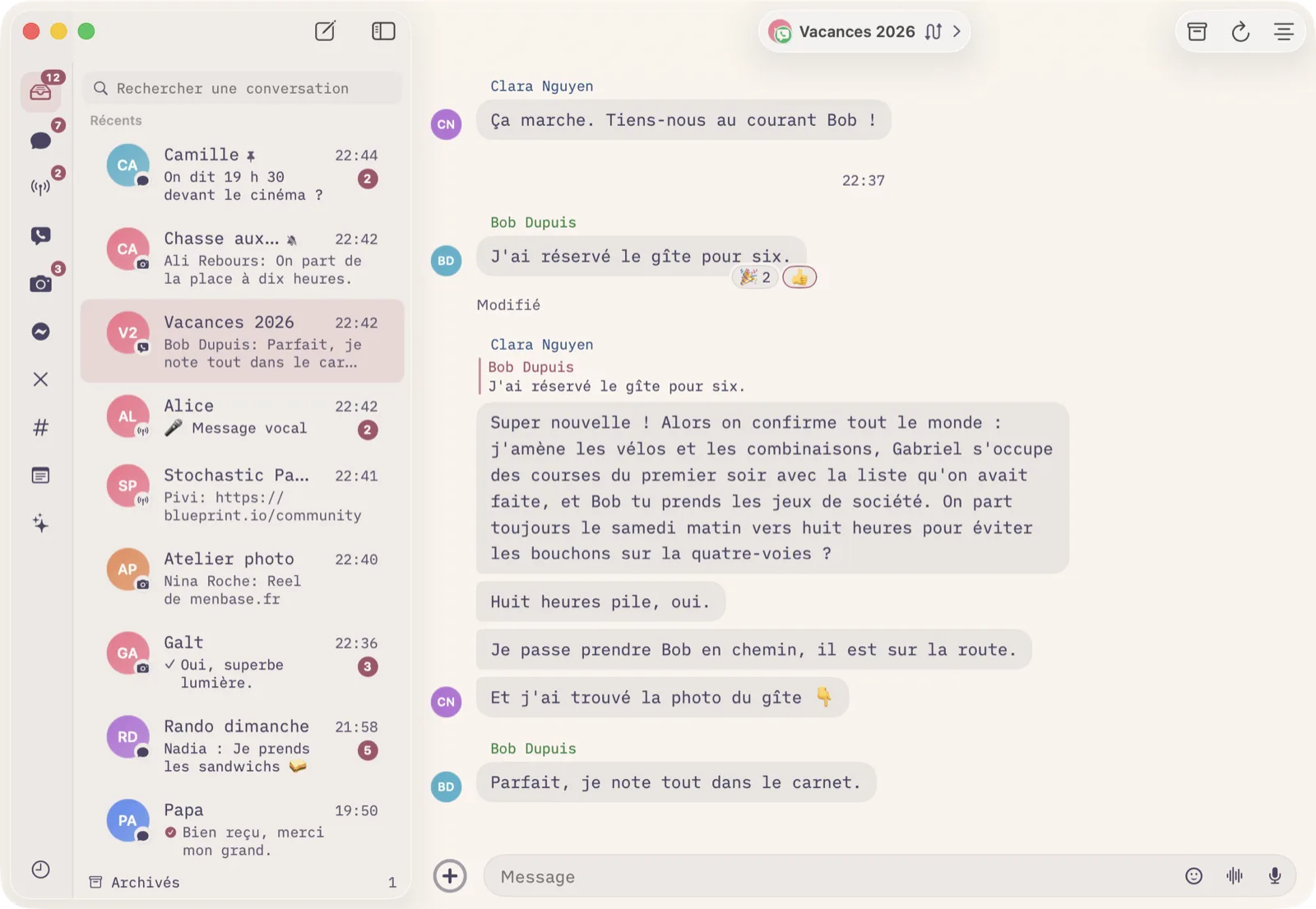
Correspondance on Mac: the inbox, with WhatsApp, Signal, Instagram and iMessage conversations in a single list
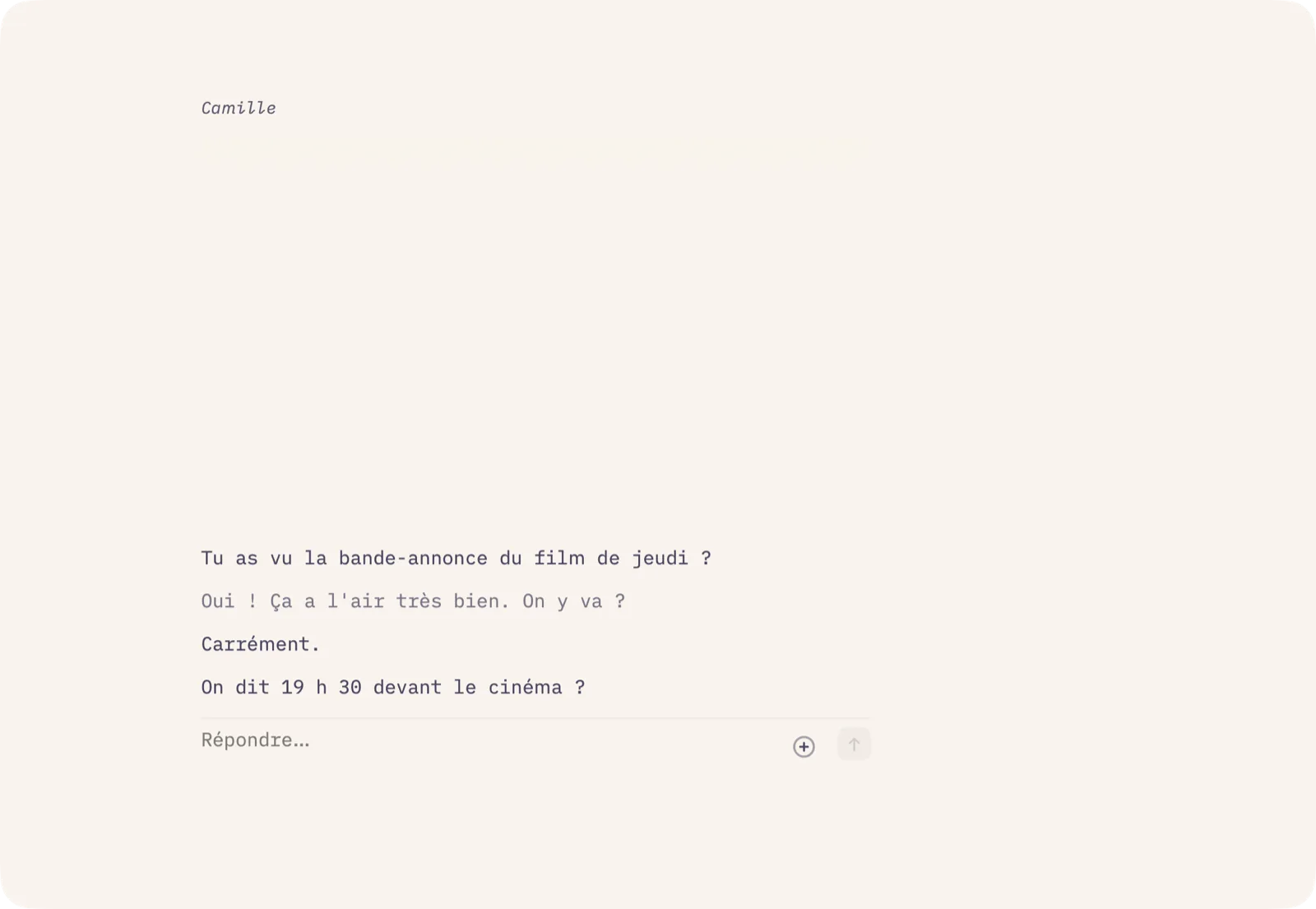
Focus mode: one conversation, nothing else
Focus: one conversation at a time.
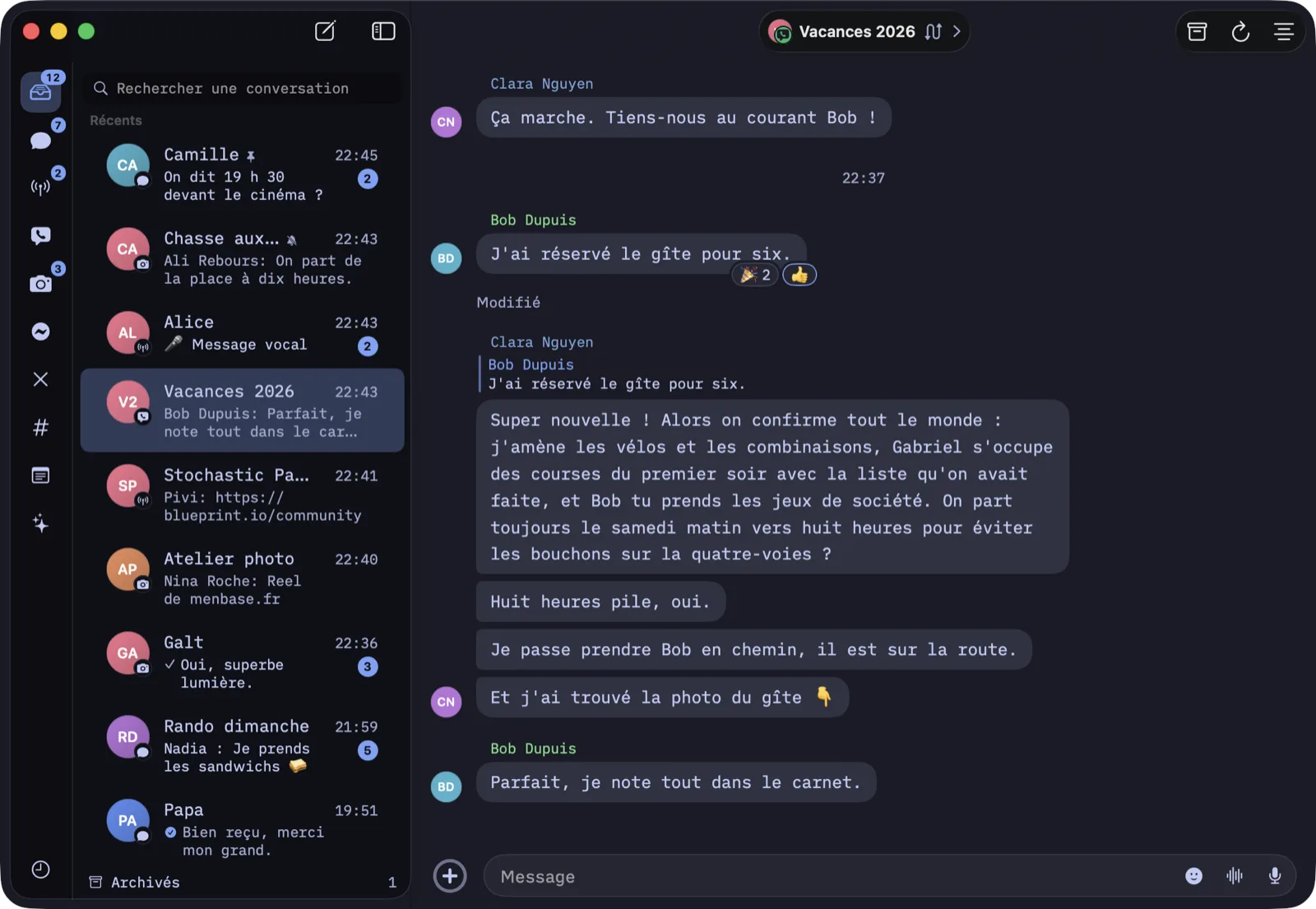
The inbox in the dark “Night ink” theme
Six looks, three of them dark.
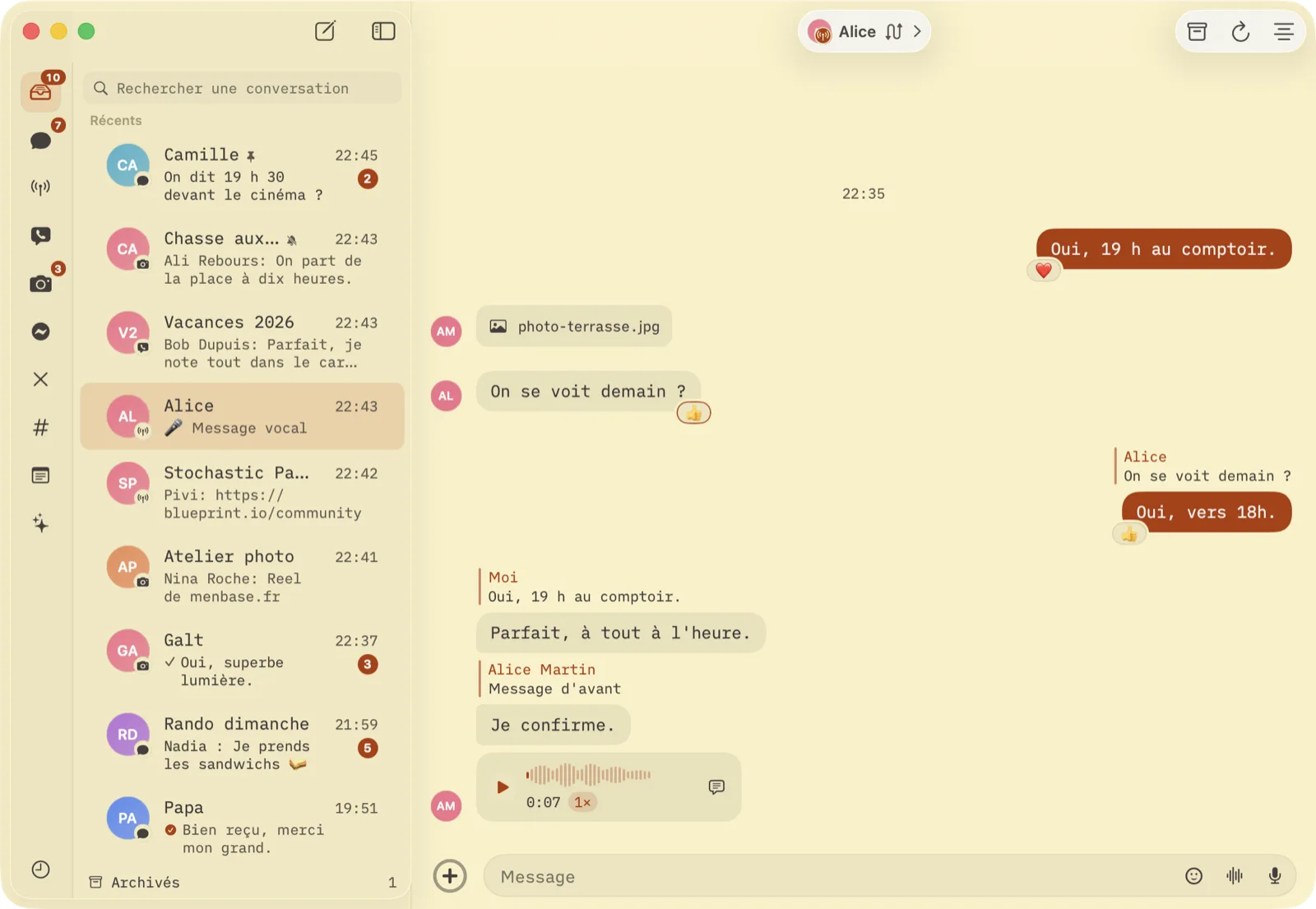
A Signal thread with a voice message, reactions and a quoted reply, in the Dune theme
Voice notes, reactions, quotes: it’s all there.

Use cases

What it changes, concretely.

A unified inbox already saves you time. The assistant is a second pen beside you: it writes, you decide, nothing goes out without you.

Selling on Marketplace, Craigslist, Vinted

Buyers write on Messenger, WhatsApp and Instagram. One list, sorted by date. At the tenth “still available?”, ask the assistant for a polite reply and send it with one tap.

Freelancers and small shops

Customers write on Instagram, WhatsApp and Messenger. You answer from one place, on Mac and on iPhone, and hand the assistant the first draft of the replies that need care.

Family across four networks

iMessage with your parents, WhatsApp with the cousins, Signal with friends, Messenger with the neighbour. One list, one notification, the same photo of Julie everywhere.

The delicate message

A refusal, a follow-up, a reply that calls for tact. Name the assistant in the thread, say the tone: it has read the thread and writes a draft only you can see. You send, fix or drop it.

The group you have no time to read

Forty messages in the school parents’ group. One Summarize button, and the assistant tells you what is waiting on you, then the rest in three lines. In the morning, at the time you set, it rounds up every thread where someone is waiting for you.

In-laws who write in Portuguese

Under a bubble in another language, a Translate button, and the translation reads in grey below. Set a thread so that everything arriving is translated right away, and what you send too. On the device, without sending a line to anyone.

An assistant you reach like a contact

A thread of its own, on iPhone and on Mac. A question, a photo, a PDF, a task on your machine: it runs at home around the clock, on your subscription, with no API key.

Less tracking on your phone

The Meta apps no longer run on your phone, so neither do their advertising SDKs. Your messages go through a relay of your own, never through our servers.

Unified inbox

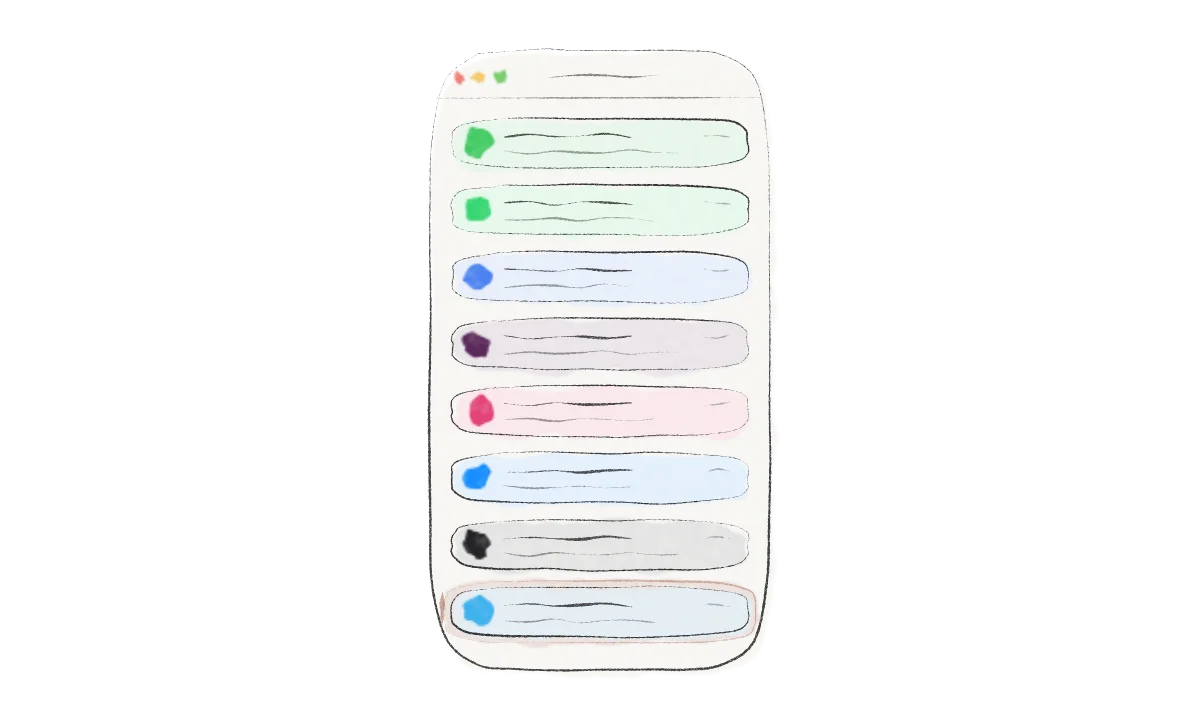
Eight networks. One list. Zero tabs.

Every conversation lands in the same list, sorted by date, with its network badge. You reply from Correspondance and the message leaves through the right channel.

Everything a real client can do

Not a web tab. A native app that speaks to each network like its official client.

  • Text, photos, videos, voice notes, documents, reactions and quoted replies
  • Edit or unsend a message, within the window each network allows
  • Read receipts, typing indicators, groups, rich notifications
  • Search across every network, read and unread, archiving
  • Share from Photos, Safari, Files or the Finder: pick a person, and it goes out on their network
  • Links show their card, title and image; a message that is only a link shows only its card
  • The same person on two networks, one row: merge the chats and pick which one you reply on, on Mac and on iPhone
  • The thread says who joins, who leaves, who renames the group; in a WhatsApp group, numbers take the name from your contacts
  • Settings › Accounts lists your linked networks and their status, disconnects one, adds another, no command line
  • A thousand-message thread scrolls without a hitch, and the app fits in 240 MB on the Mac
Noah · WhatsApp
Did you see the plumber’s quote?
bathroom-quote.pdf · 240 KB
7:21 PM
Yes, 1,850 € looks fair for the shower. Shall I confirm?
7:24 PM · Read
▶0:12
7:26 PM
👍
Message↑

AI agents

An agent is a contact. Invite it into the conversation.

Claude Code, Hermes or another engine becomes a member of your inbox. It reads the thread before replying, runs on your Mac or your own machine, on your subscription. No API key to paste.

The Marchands · iMessage · cc invited
DadSee you Sunday, are you bringing dessert?
@cc find a simple tart for 8, no oven on Sunday morning
Draft from cc · only you can see itNo-bake lemon tart: buttered biscuit base, condensed milk and lemon cream, 4 h in the fridge. Want the shopping list?
SendEditDismiss

In front of others, it proposes. You decide.

As soon as someone else is in the thread, nothing goes out without you. The agent writes a draft only you can see. You send it as is, fix it, or drop it.

  • One on one with the agent, it answers directly, no need to name it
  • It reads the latest messages of the thread before replying, and keeps a memory of each conversation
  • Photos, voice notes and PDFs you send it are part of the question
  • A reaction is enough: 🤖 on a bubble asks it for a reply, 🌐 for a translation, 📌 to remember what it says about the person
  • When it fails, you see it: cap reached, engine missing, timed out, each with its own retry
Karim · 16" bike · Messenger · thread info
Assistant · ccOn requestSuggestsReplies alone
FrameMarketplace seller: the bike is 60 €, available this weekend in Nantes, pickup in person only. Anything else, hand over to me.
KarimHi, still available? Would you take 45?
Hi! Still available, and I’m staying at 60 €: pickup in person in Nantes, this weekend if that works for you.● Sent by cc for you · 2:02 PM

On request, Suggests, or Replies alone, within a frame.

Three settings per conversation, from the thread info. On request, it only writes when you name it. Suggests, it prepares a draft for every incoming message, visible to you alone. Replies alone, it answers on your behalf within the frame you give it.

  • Three ready-made frames: Marketplace seller, customer desk, family. Or your own, in one sentence
  • Whatever it sends for you is marked in your thread, with the time. Outside the frame, it hands over to you and says why
  • Ten replies an hour per thread at most, and one click to go back to drafts
cc · Console
Log · 8:48 PMTurn in “Camille” · owner · tools: read folder · 4.2 s · draft proposed
Log · 7:02 PMTurn in “The Marchands” · owner · attachment: photo.jpg · 5.1 s · draft sent
Morning round-up · 8:00 AMThree threads are waiting on you: Karim (Messenger) wants a photo of the bike, Dad (iMessage) is asking again about Sunday, Studio Leo (Slack) had a question about the invoice.
Status · 6:30 PMEngine: claude · host: This Mac · 3 threads followed · cap 30/h
switch to draft mode everywhere except with me
ccDone. Direct replies only in our one-on-one, drafts in the other 3 threads.

Only you trigger it. Everything is logged.

An agent obeys only its owner and joins only the threads you invite it to. It works in a folder scoped to each conversation, never in your home folder.

  • Every turn is recorded: who, what, which tools, how long
  • Hourly call cap, one request at a time per thread
  • Configured from the app, in plain language, in its console

Features

Built for the keyboard, the Mac and your pocket.

Quick reply

A global shortcut opens a card above everything. You reply, it vanishes. Without switching windows.

Sticky note

Detach a conversation into a small window that stays on top. Three sizes, light or dark.

Focus mode

⌘1 hides the list and leaves a single thread. The page turns from one conversation to the next, ⌘K finds one without leaving the page. ⌘2 brings the list back.

Menu bar

The unread count and quick reply, reachable from the Mac menu bar.

Four themes

Paper, Wax and oak, Moonlight, Night ink. They follow the system or are set by hand.

Share

From Photos, Safari or the Finder: Share, a person, Send. On iPhone and on Mac, without opening the app.

iPhone

The same inbox, the same agents, the same drafts, the same merged chats. Rich notifications, reply from the notification, and your camera roll in place of the keyboard to send a photo or a video.

On-device translation

Translate under a bubble, or a whole thread up front, incoming and outgoing. Through Apple’s translation, on macOS 15 and iOS 18: nothing goes to a server.

Incognito mode

Read without telling: no read receipt goes out, and unread counts stay as a reminder. ⌘⇧I on the Mac, the “…” menu on the iPhone. Replying or “Mark as read” are the only gestures that let the other person know.

Privacy

Your messages never touch a server of ours.

There is no Correspondance account and no Correspondance cloud. You install a Relay at home, in one click, and your devices talk to it encrypted.

  1. iMessage read on your Mac

    The app reads the Messages database locally and sends through Messages. Nothing leaves the machine.

  2. A Relay of your own

    Signal, WhatsApp, Instagram, Messenger, X, Slack and Telegram are linked like one more device, through a relay installed on your Mac or a small machine.

  3. End-to-end encrypted

    Between your iPhone, your Mac and your Relay, everything travels encrypted. We hold no keys and no copy.

  4. Agents at home

    The agent runs on your Mac or your machine, on your subscription. Your conversations are sent to no additional service.

  5. On-device translation

    The Translate button uses Apple’s translation, on the machine. No text goes to a translation service.

  6. Public code

    Everything above can be checked: the code of the app, the Relay and the agent is on GitHub, under the MIT license.

  7. Read without telling

    Incognito mode cuts read receipts on every network: you open, you read, nobody knows. Only an explicit gesture tells them.

  8. No telemetry

    No usage statistics, no pixel, no advertising SDK.

  9. Less tracking on the device

    Using Correspondance instead of the official apps is better for privacy on your phone: no Meta SDK runs there. It hides nothing more from the networks’ servers, which still see who writes to you and when, as with the official client.

  10. Your data stays readable

    A folder, a database, files. You copy them, back them up, delete them.

Compare

What Correspondance changes.

Unified inboxes exist. None puts an agent in the thread, and most route your messages through their servers.

CorrespondanceClassic unified inboxWeb clients in tabs
iMessage, Signal, WhatsApp, Instagram, Messenger, X, Slack, Telegram✓✓often more networks✓except iMessage
AI agents in conversations✓draft to approve in front of others
Incognito mode, no read receipts✓every network✓
On-device translation✓macOS 15, iOS 18
Messages hosted at home✓your own Relayvendor servers✓nothing centralised
Native Mac and iPhone app✓and Linux✓web views
Share from other apps✓iPhone and Mac✓iPhone only
Search across every network✓✓
Account to createNoneRequiredNone
PriceFree, foreveropen source, MITFree + subscriptionSubscription

FAQ

Questions, answers.

Is it free?

Yes, forever: no limit on networks or time, no subscription, no paid tier. The code is public under the MIT license, on GitHub: anyone can read it, build it, change it or fork it. An app whose code is free cannot turn paid behind your back.

Do I need a Mac?

For iMessage, yes: it is the only place Apple lets those messages be read. The Mac can stay closed in a corner, the iPhone connects to it. For the other networks, the Relay runs on a Mac or on any small Linux box — and Correspondance exists for Linux too: same inbox, same Focus, in a binary with no dependencies.

Do I need to create an account?

No. You link your existing networks as you would link one more computer: a QR code for Signal and WhatsApp, a login window for Instagram, Messenger and Slack. For X, import the session from Brave, Chrome, Edge or Arc in one click, then the four-digit X Chat code. For Telegram, your number, then the code sent to the app, and your password if two-step verification is on. Your linked accounts can be viewed and disconnected from Settings › Accounts.

Where does the agent run?

On your Mac, in one click from the settings: it stops when you quit the app. Or on a machine of yours that stays on, for an agent reachable day and night, even with the Mac closed.

Can the agent send a message without me?

Not by default. As soon as someone else is in the thread, it proposes a draft only you can see, and nothing goes out without your click. Thread by thread, you can switch it to “Replies alone”: it then answers on your behalf within the frame you write, ten times an hour at most, every message marked in your thread, and it hands over to you as soon as the conversation leaves the frame. One click brings it back to drafts.

What does it know about my conversations?

What you address to it, and the latest messages of the thread where it is named, so it can answer in context. It does not dig through your history and does not read threads it is not invited to. The Summarize button and the morning round-up work on what is unread, not on the archives.

Which engines are supported?

Claude Code on your subscription, and Hermes. An agent is a Matrix user of the Relay: any engine that can read and write in a room can become one.

How is it different from Beeper?

Same starting idea: one inbox for every network. Two differences. With Beeper, your messages pass through their servers; with us, through a Relay of your own. And Correspondance welcomes AI agents into conversations, with a draft to approve whenever someone else is present.

One inbox for everything. An assistant that replies with you.

Free forever, open source, on iPhone, Mac and Linux.